
AV-SPAM v8.1 Released
Modern Spam Protection for BlueOnyx: More HAM, less SPAM.
The AV-SPAM v8.1 has been released
Taking in feedback and suggestions we just published an updated AV-SPAM that contains the following new features and improvements:
Automatic HAM/SPAM Bayes training
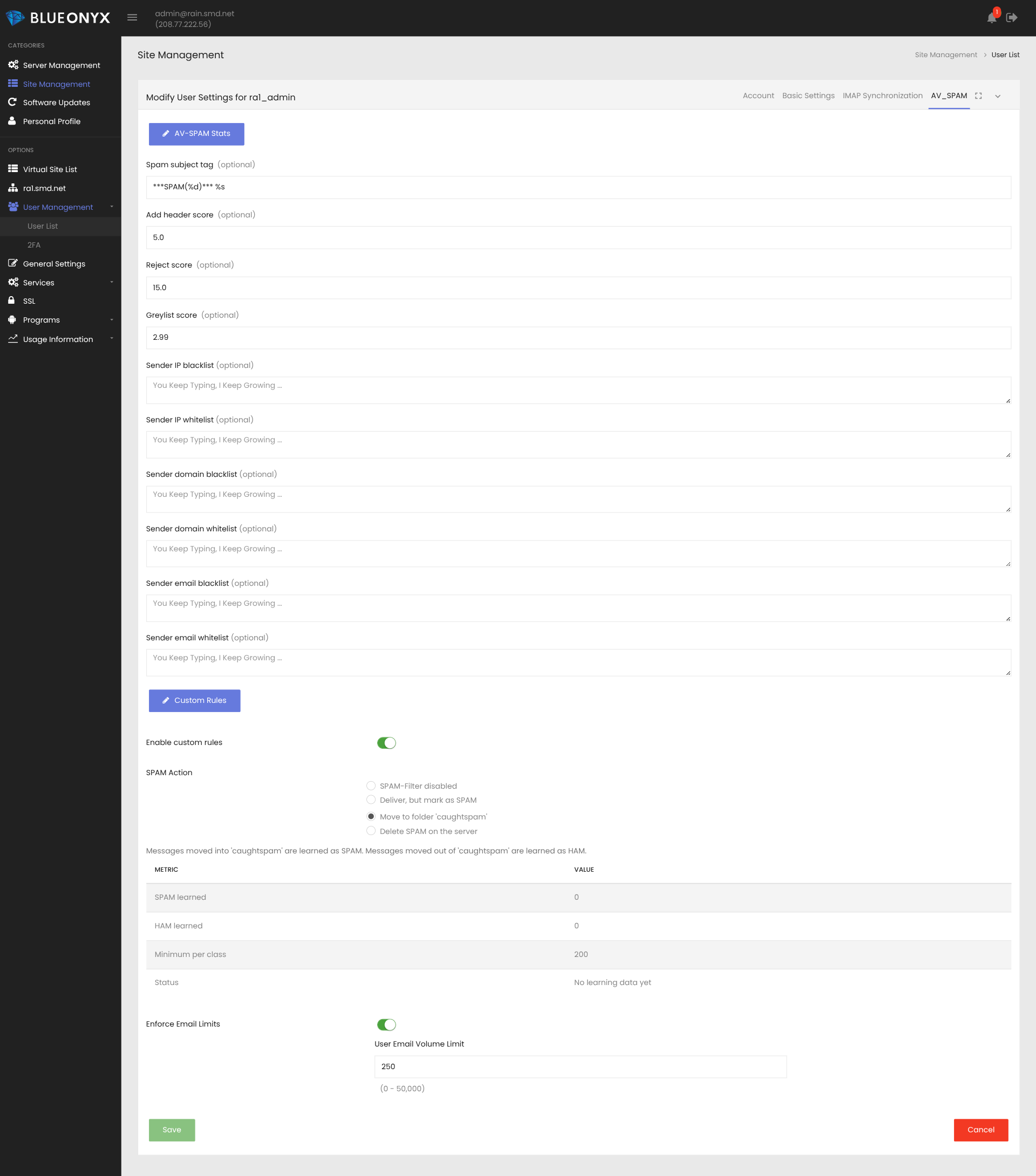
The Email folder "caughtspam" is now created automatically whenever a user is created or modified via the GUI.
If a user has his SPAM-filter configured to move all detected SPAM to the folder "caughtspam" and/or a user manually moves an email into that folder? The email is then presented to RSPAMd to learn it as SPAM. It may not accept emails that have insufficient numbers of tokens, but still: Such emails are at least considered for training.
If an email is moved OUT of the folder "caughtspam"? Then this email is trained as HAM.
This is implemented via special ImapSieve rules and a script that is triggered via a timer and does batch processing of up to 50 emails per user. Only new emails are taken into account and it keeps track of those it has already seen.
Such training progress can be monitored via this command:
journalctl -u solarspeed-rspamd-imapsieve.service
Likewise: On the user management page for the AV-SPAM you will find a table that shows how many HAM/SPAM were already learned for the user in question.
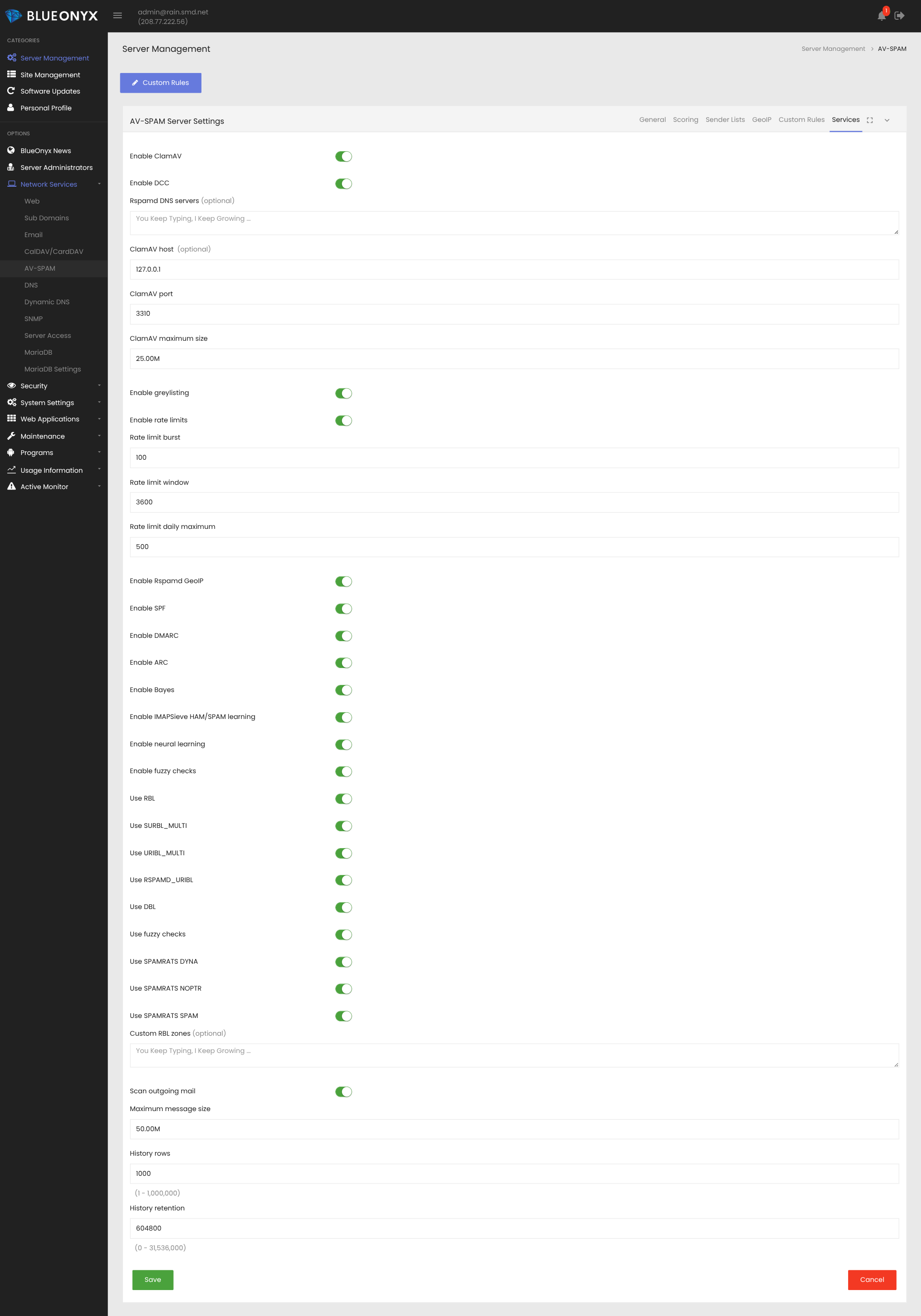
This is an optional feature and must be enabled in the "Services"-tab for it to work.
DCC (Distributed Checksum Clearinghouse)
DCC is a hash based detection of bulk email and it is incredibly useful to detect large SPAM runs. The old AV-SPAM v7 had it and in v8? We didn't. And it showed.
In v8.1 DCC makes a return and it can be enabled in the "Services" tab.
SPAMrats RBLs
SpamRATS is a provider of real-time IP reputation lists (DNSBLs) that flag addresses associated with spam, compromised servers, or abusive infrastructure. Unlike behavioral lists that track complaint rates, SpamRATS primarily uses automated, infrastructural checks to identify non-legitimate mail servers.
Which makes it incredibly useful and we've also had it implemented in the AV-SPAM v7. Now in v8.1 it makes a return and the three individual SPAMrats RBLs can be enabled/disabled in the "Services"-tab.
/usr/sausalito/sbin/avspam_init.pl
This old and trusty shell script got rewritten from the ground up. You don't need it to restart AV-SPAM related services, as Systemd and Active Monitor will handle it for you.
But it's nice to have nonetheless - especially for some quick diagnostics.
Example output:
~]# /usr/sausalito/sbin/avspam_init.pl -status

AV-SPAM service status
======================
Service                Role         Configured   Enabled      Active
---------------------- ------------ ------------ ------------ --------
Postfix                MTA          yes          enabled      active
Rspamd                 AV-SPAM      yes          enabled      active
ClamAV daemon          AV-SPAM      yes          enabled      active
ClamAV freshclam       AV-SPAM      yes          enabled      active
DCC                    AV-SPAM      yes          enabled      active
Milter-GeoIP           AV-SPAM      yes          enabled      active
IMAPSieve learning     AV-SPAM      yes          enabled      active
Health check timer     AV-SPAM      yes          enabled      active
Available switches:
- -start
- -restart
- -stop
- -status
Please note: Services disabled in the GUI won't show up to avoid confusion.
Rspamd DNS servers
In the "Services"-tab you can specify alternate DNS servers that RSPAMd should use instead of the ones that the server itself has configured in /etc/resolv.conf
Just enter the IP address(es) and optionally also the port number in case it isn't 53.
Example: 127.0.0.1:1053
If that field is left empty, then RSPAMd will use the default DNS resolvers as configured in /etc/resolv.conf
Bugfixes
In the "Sender Lists"-tab of the AV-SPAM Settings you can configure a wide range of white- and blacklists for IPs, email addresses and what not.
However: Apparently the config syntax for some of these was wrong and that did lead to some of these white- and blacklists not working as intended. This has been fixed now.
To-do-List after upgrading from AV-SPAM v8.0 to v8.1
This is optional, but recommended:
Go to "System Settings" / "Network Services" / "AV-SPAM" / "Services"-tab and find these new options:
- Enable DCC
- Enable IMAPSieve HAM/SPAM learning
- Use SPAMRATS DYNA
- Use SPAMRATS NOPTR
- Use SPAMRATS SPAM
To benefit of the new features you might want to turn all of these on.
Availability
AV-SPAM v8.1 is available now for:
- BlueOnyx 5212R (recommended)
- BlueOnyx 5211R
- BlueOnyx 5210R
The module can be purchased through the BlueOnyx Shop. Existing customers with active maintenance can upgrade at no additional cost.
 |
 |