
BlueOnyx AI Assistant has been released
The BlueOnyx AI Assistant is now available as a free download from NewLinQ and DNF.
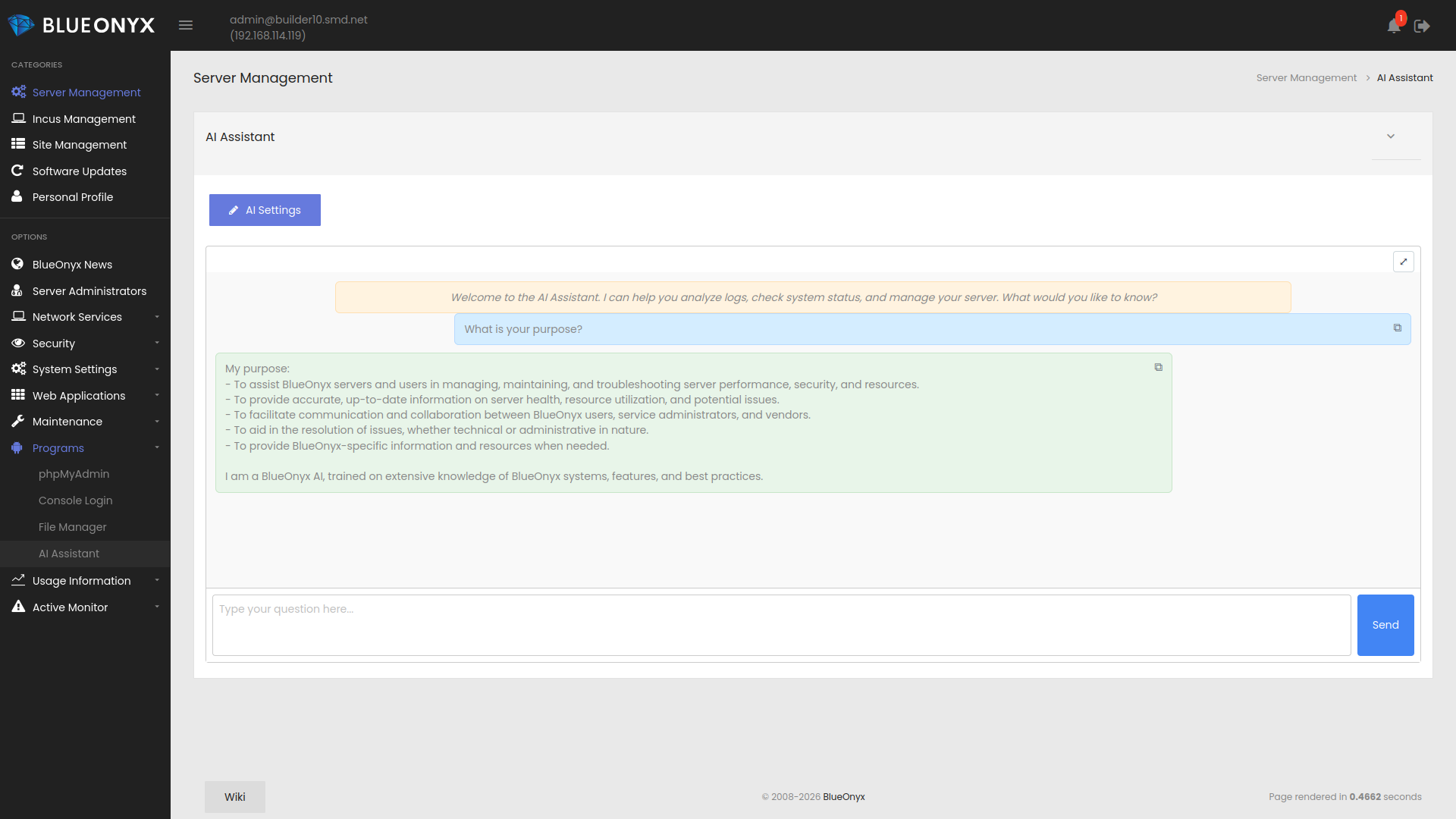
The BlueOnyx AI Assistant adds an AI powered assistant directly to the BlueOnyx GUI and gives administrators a new way to inspect, diagnose, and understand their servers.
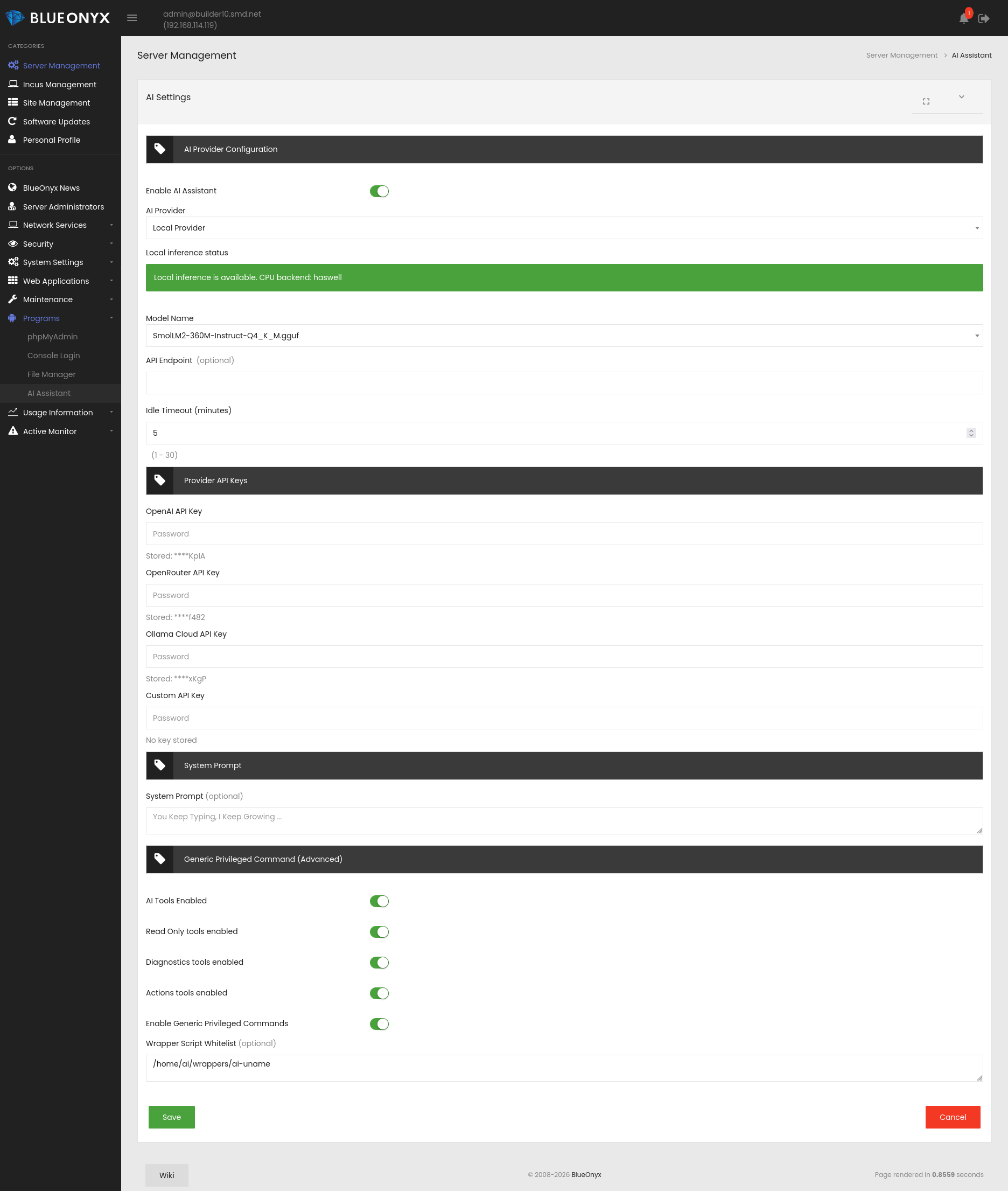
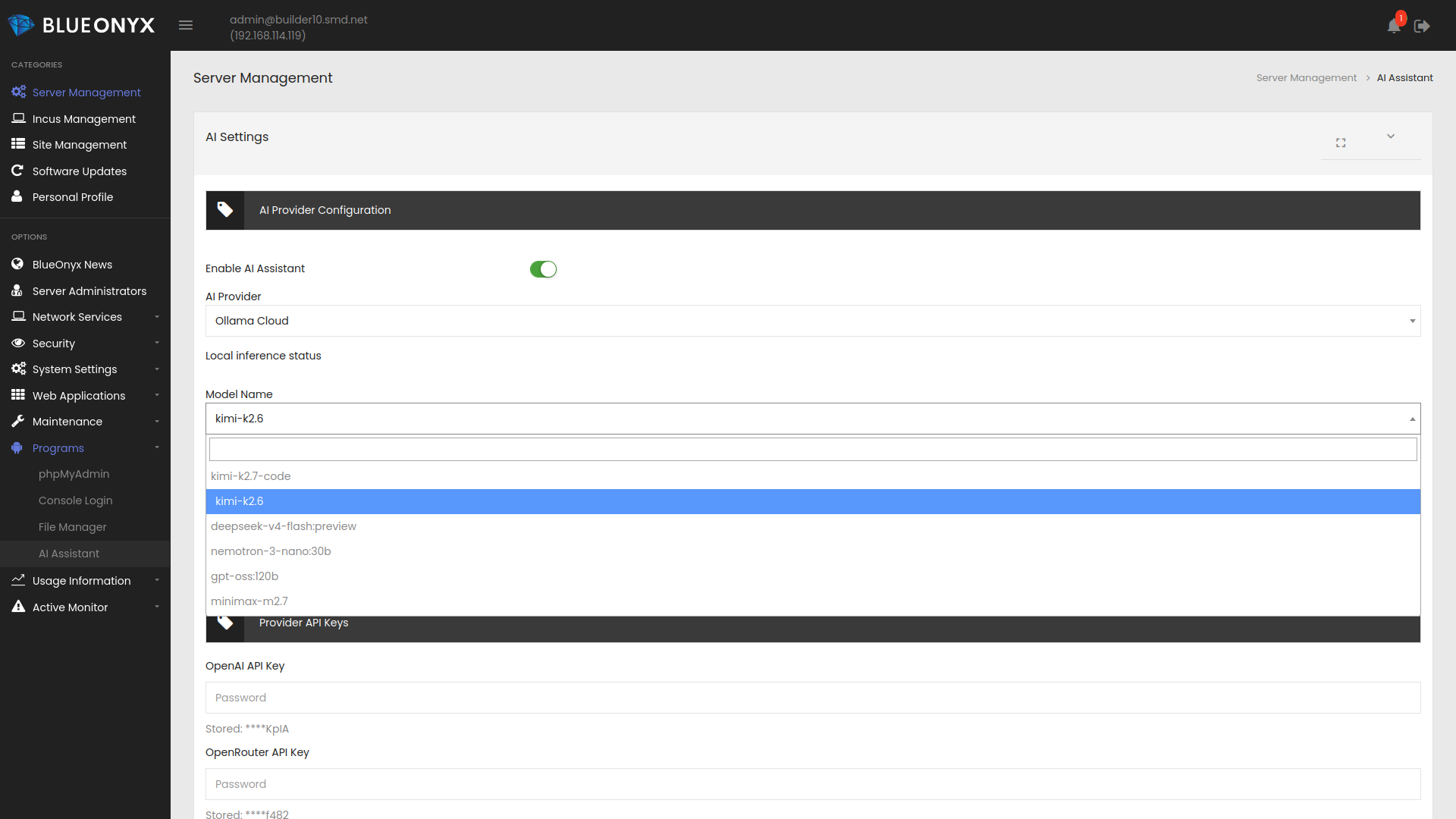
The module can work with both local and remote AI providers. For local use it supports a packaged llama.cpp backend with the SmolLM2 model. For remote use it can connect to providers such as OpenAI, OpenRouter, Anthropic, Ollama Cloud, and compatible custom endpoints.
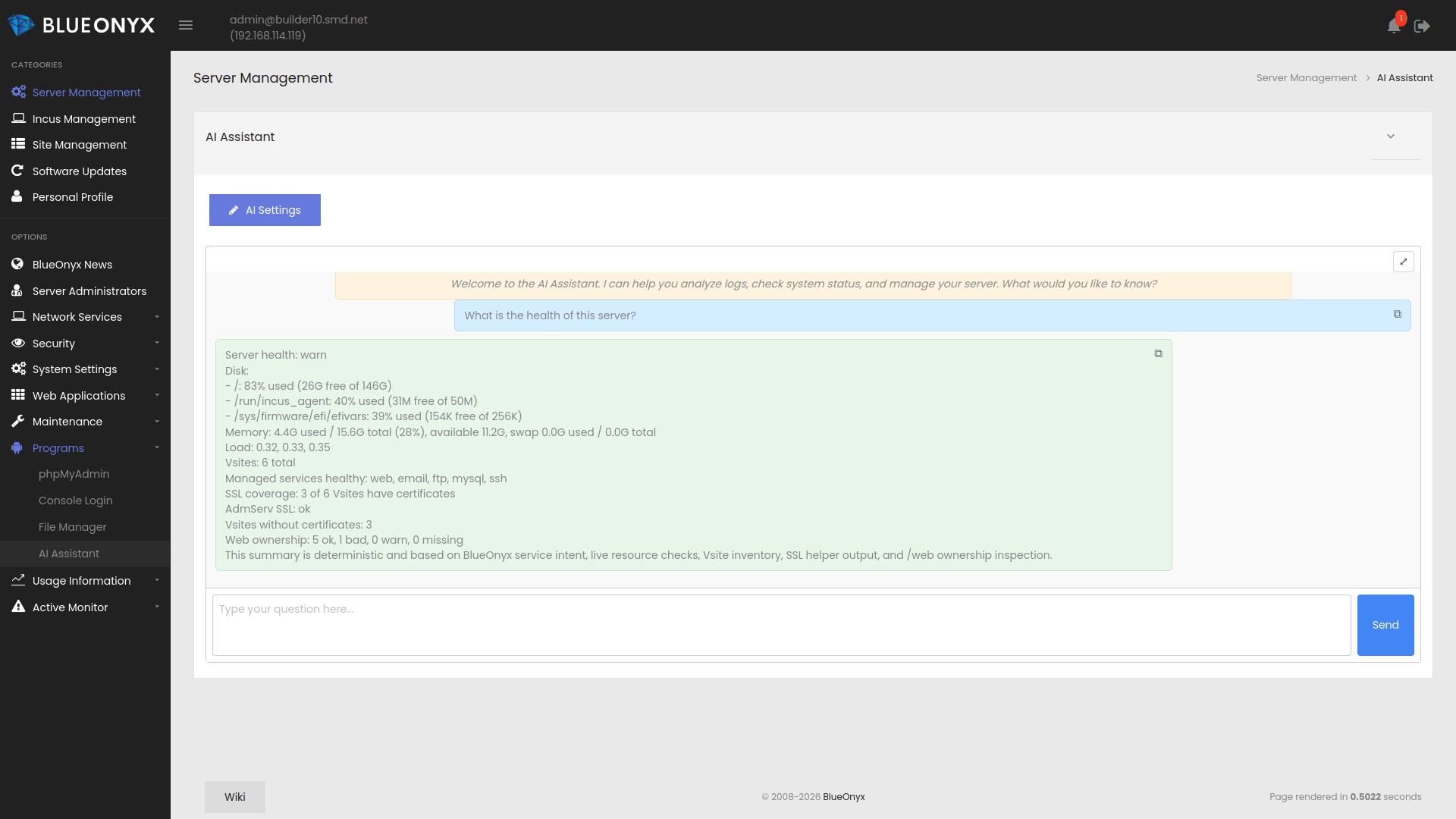
Once installed, the BlueOnyx AI Assistant can answer questions about the server, inspect logs, review service state, summarize health information, list Vsites, check SSL status, inspect PHP-FPM and web ownership issues, and help administrators make sense of what is happening on a system.
The module is designed for practical daily administration. It can assist with troubleshooting, incident review, service diagnostics, mail flow checks, network and memory inspection, and guided operational tasks inside the BlueOnyx environment.
Local AI support is hardware dependent and can be slower on older systems, so external providers may still be the better choice on smaller or older servers. The BlueOnyx AI Assistant is able to work in both scenarios and gives administrators the flexibility to choose what fits their environment best.
 |
 |
 |
 |
How to install the BlueOnyx AI Assistant:
The BlueOnyx AI Assistant is available as BlueOnyx PKG for BlueOnyx 5210R, 5211R and 5212R - as well as via DNF from the regular BlueOnyx DNF repositories.
PKG install via NewLinQ:
The BlueOnyx AI Assistant is part of the following bundles of the BlueOnyx Shop:
- Free Bundle
- All Packages Bundle
- BlueOnyx Enterprise Edition (BOEE)
- BlueOnyx Professional Edition (BOPE)
- Aventurin{e} 6110R for BlueOnyx 5211R/5212R
The Free Bundle is of course available free of charge and only requires a shop account. Once one of the bundles that contains the BlueOnyx AI Assistant is linked to your server, you can find the PKG under "Software Updates" / "Third Party Software".
Manual installation via DNF:
It is also possible to just install the BlueOnyx AI Assistant via DNF as "root" from the command line of your BlueOnyx 5210R, 5211R or 5212R:
dnf install base-ai-*
For more information please read the related FAQ article.