
New feature: Apache Throttle (mod_qos)
BlueOnyx now includes a new Apache request throttling feature using mod_qos.
BlueOnyx now includes a new server-wide Apache request throttling feature called Apache Throttle. It is built on top of Apache mod_qos and provides administrators with a centralized way to control request-rate limits, response-based blocking, and dynamic request protection across the entire server.
This feature is designed to reduce abusive traffic patterns, protect shared resources, and add a practical layer of request control without requiring per-site manual Apache tuning.
Please note: This feature is not available in BlueOnyx 5210R. Only in BlueOnyx 5211R and newer.
What It Does
Apache Throttle allows administrators to:
- Enable or disable Apache request throttling globally
- Choose a preset protection profile: Conservative, Balanced, Aggressive, or Custom
- Configure general request limits
- Define dynamic request protection rules
- Control repeat offender blocking behavior
- Add advanced custom directives
- Validate Apache configuration before applying changes
The generated configuration is written to:
- /etc/httpd/conf.d/00-mod_qos.conf
BlueOnyx validates the Apache configuration with httpd -t before reloading Apache. If validation fails, the previous known-good configuration is restored automatically.
GUI Layout
The Apache Throttle page is organized into tabs:
- Main status
- General limits
- Dynamic request protection
- Repeat offender blocking
- Advanced
 |
 |
 |
 |
 |
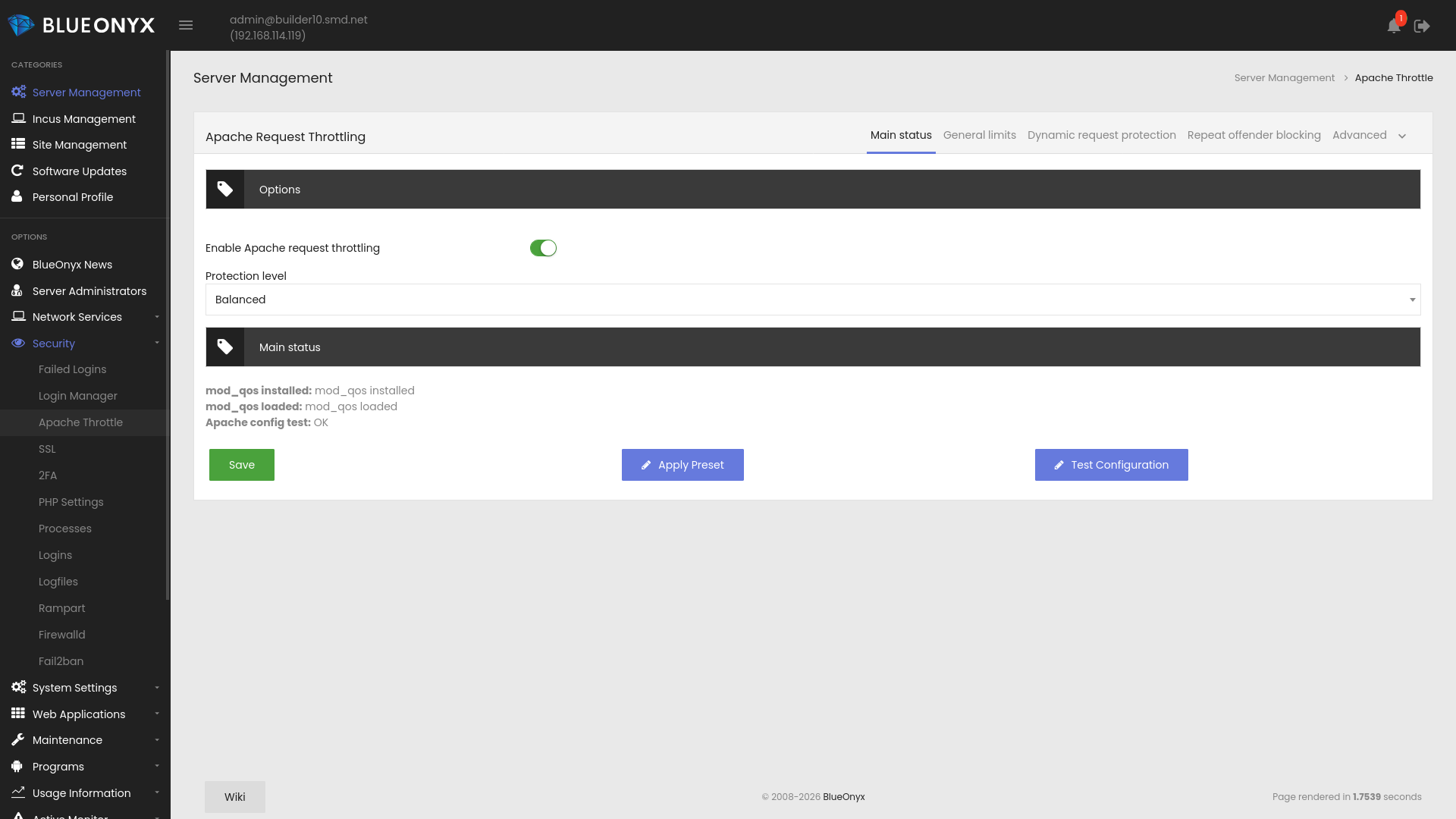
Main Status
This tab controls the overall feature state and gives a live summary of the mod_qos environment.
It includes:
- Enable Apache request throttling
- Protection level
- Status indicators for mod_qos installed or missing
- Status indicators for mod_qos loaded or not loaded
- Status indicators for Apache config test OK or failed
The protection profile determines the default tuning values:
- Conservative: stronger protection, less permissive
- Balanced: recommended default
- Aggressive: tighter request handling
- Custom: manual tuning enabled
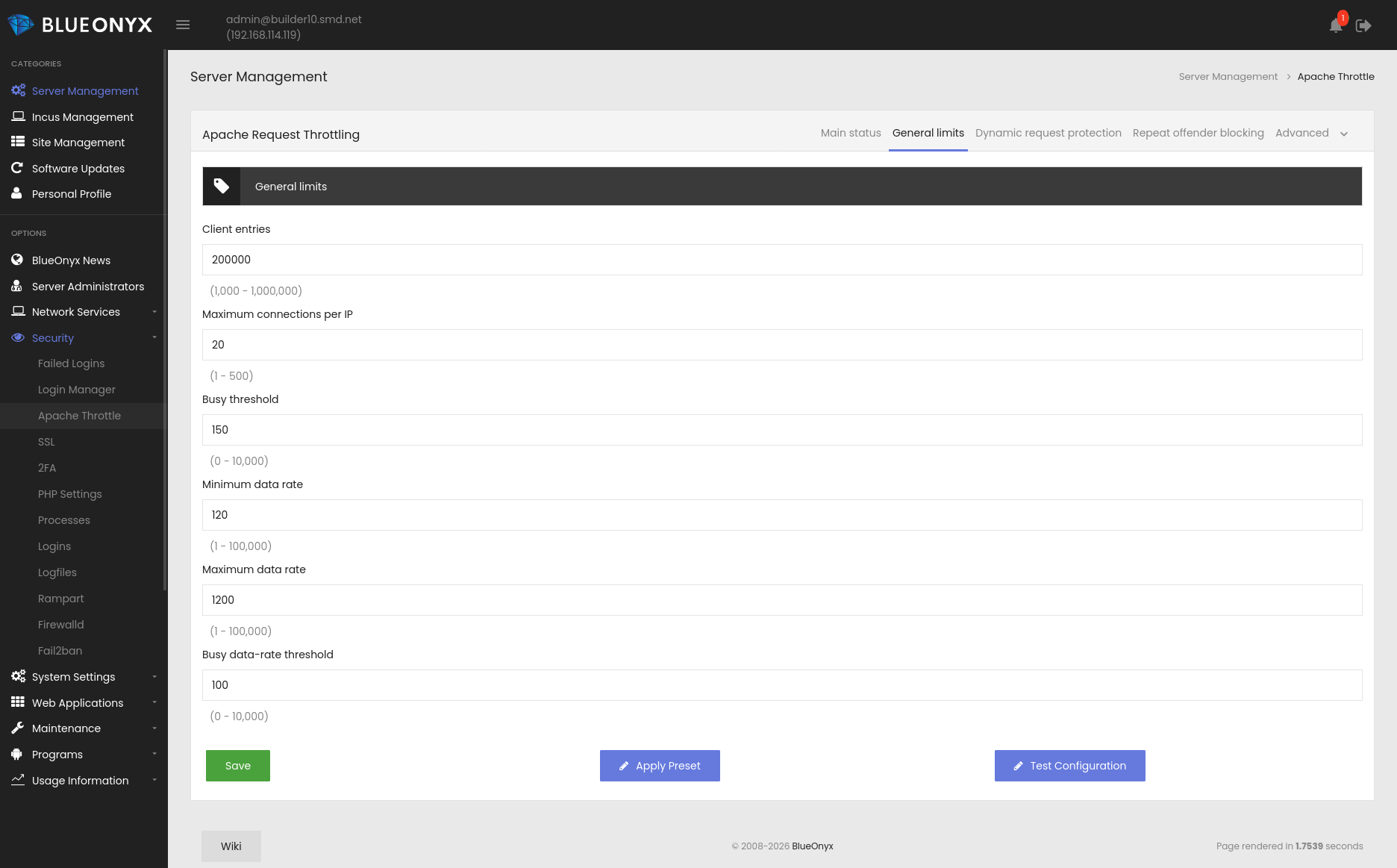
General Limits
This tab controls the primary mod_qos thresholds that apply server-wide.
Available settings:
- clientEntries
- srvMaxConnPerIP
- srvMaxConnBusyThreshold
- minDataRate
- maxDataRate
- minDataRateBusyThreshold
These settings define the baseline request handling and connection behavior Apache will use when throttling is enabled.
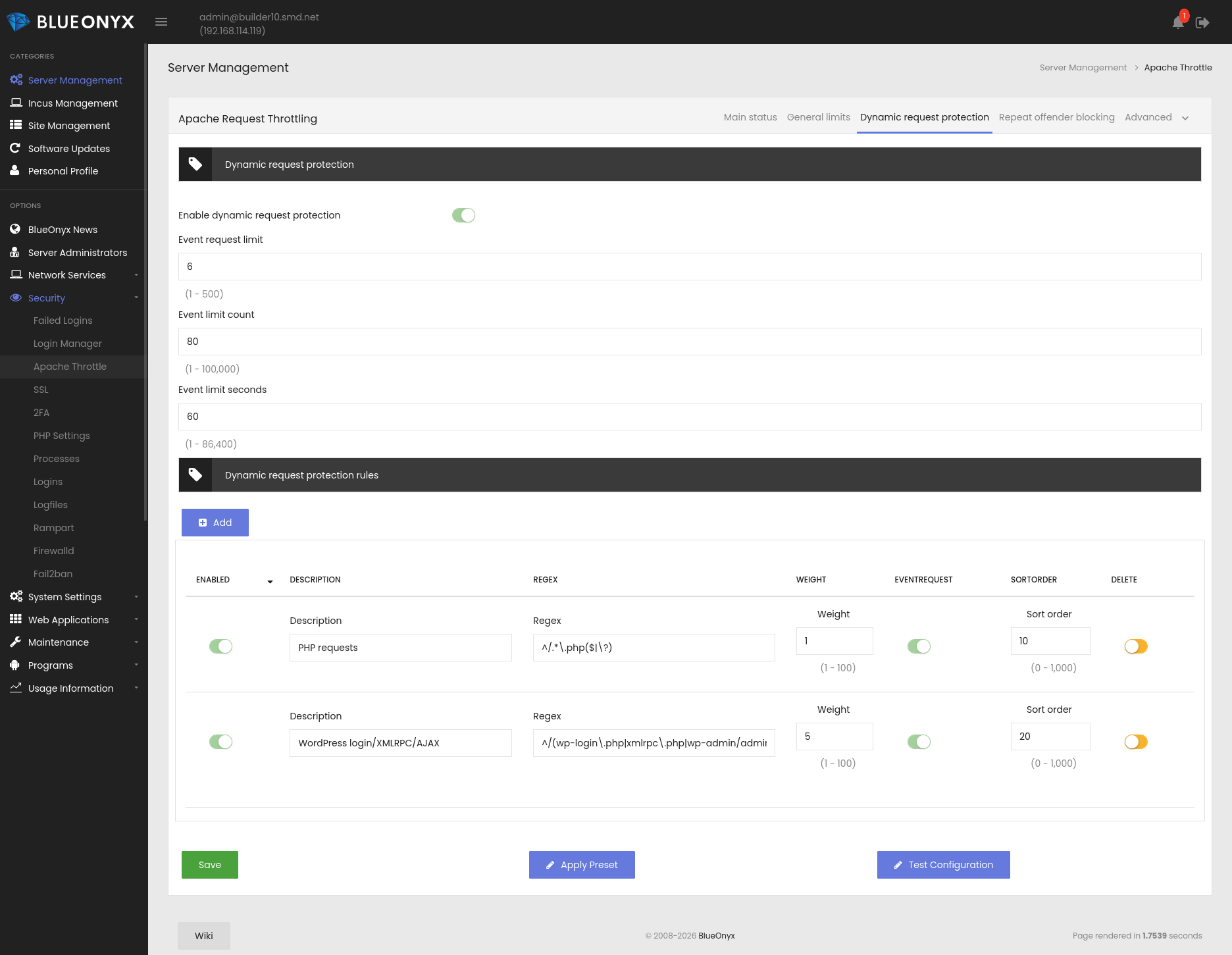
Dynamic Request Protection
This tab controls dynamic request scoring and rule-based throttling.
Available settings:
- Enable dynamic request protection
- eventRequestLimit
- eventLimitCount
- eventLimitSeconds
It also includes a dynamic rule table where administrators can define URL patterns that should receive request weights. The default rules include PHP requests and WordPress login, XML-RPC, and AJAX requests.
Each rule can be:
- Enabled or disabled
- Described
- Matched with a regex
- Assigned a weight
- Marked as an event request
- Sorted
Rules are used to generate mod_qos directives such as SetEnvIf Request_URI and QS_EventRequest lines.
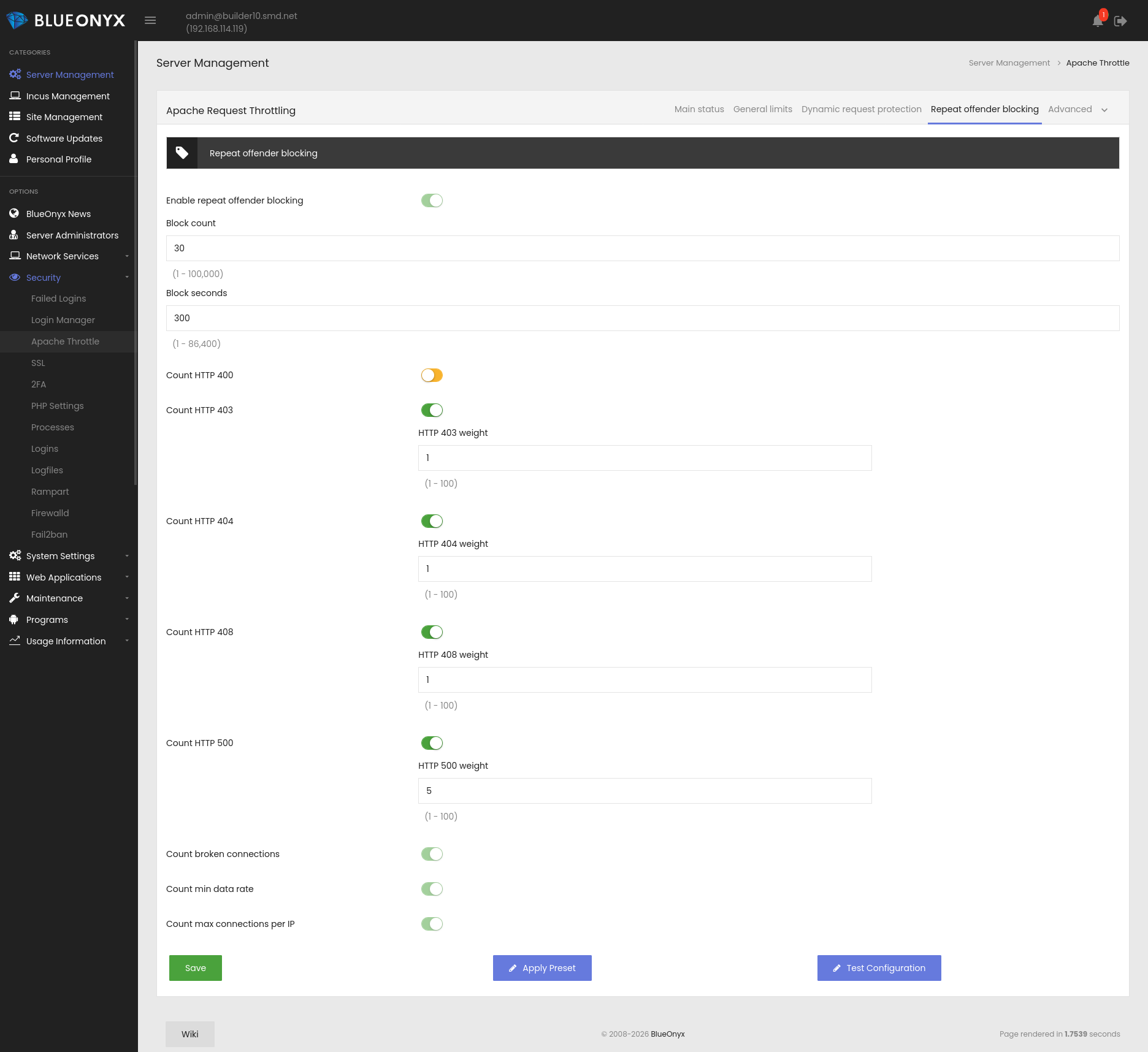
Repeat Offender Blocking
This tab handles response-based blocking for clients that repeatedly trigger errors or violations.
Available settings:
- Enable repeat offender blocking
- blockCount
- blockSeconds
Status-specific block controls:
- Count HTTP 400
- Count HTTP 403
- Count HTTP 404
- Count HTTP 408
- Count HTTP 500
- Count broken connections
- Count minimum data rate violations
- Count max connections per IP
Each status-based option can carry its own weight, which allows the GUI to express more realistic blocking behavior than a simple on/off flag.
Example generated directives include QS_SetEnvIfStatus lines with weights.
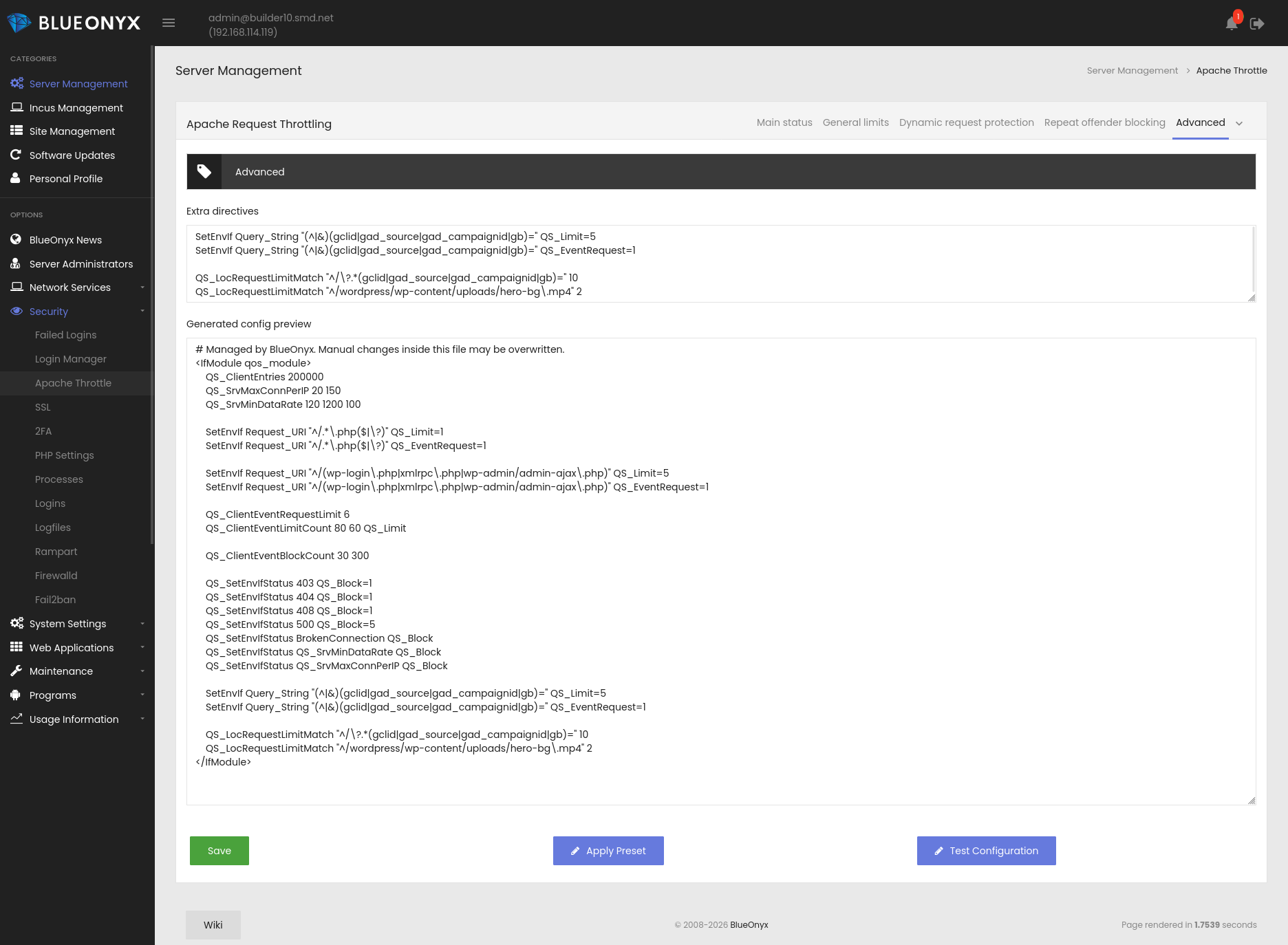
Advanced
The Advanced tab provides extra directives and the generated config preview.
The Extra directives field is for advanced Apache or mod_qos directives that are not directly exposed in the GUI. It accepts normal Apache syntax and is appended inside the generated qos_module block.
The preview shows exactly what BlueOnyx will write to /etc/httpd/conf.d/00-mod_qos.conf.
Safety and Validation
BlueOnyx does not blindly write the Apache config.
When the administrator saves or tests configuration:
- BlueOnyx generates the candidate config
- It writes the file safely
- It runs httpd -t
- If validation fails, the previous file is restored
- Apache is reloaded only after a successful validation
This ensures that a bad throttling setting does not take down Apache.
Presets
The GUI includes three built-in presets:
- Conservative
- Balanced
- Aggressive
These presets populate the relevant fields automatically.
If the administrator switches to Custom, the fields become editable again for manual tuning.
Best Practice
For most installations:
- Start with Balanced
- Test configuration
- Review the generated config preview
- Move to Custom only if you need specific rules or thresholds
- Use Extra directives sparingly and only for advanced Apache syntax
Summary
Apache Throttle gives BlueOnyx administrators a centralized, safe, and flexible way to manage Apache request throttling through mod_qos. It combines preset tuning, custom rule handling, repeat offender protection, safe config generation, and automatic validation and recovery.
This makes it much easier to harden a server against abusive request patterns without hand-editing Apache config files.